

Old versions for Android
Talkie APK
Review Talkie 2.61.609 for Android 8.0+, including its XAPK format, AI character-chat context and limits of switching to an older release.
Available downloads 1
2.61.609
Version details for 2.61.609
Split APK bundle. Requires a compatible bundle installer; the regular Android package installer cannot install the archive directly.
No versions match this requirement. Choose “All Android requirements” to see every release.
Report a download problem
Talkie is an AI character and creative-content platform. The archived download here is version 2.61.609, packaged as an XAPK for Android 8.0 or later. Choosing an older client may change its interface, but does not roll back server-side AI behaviour, restore deleted conversations or establish access to paid features.
Archived download details
| Detail | Inspected file |
|---|---|
| Reported version | 2.61.609 |
| Package | com.weaver.app.prod |
| Minimum Android | 8.0+ |
| Download size | 258.56 MiB |
| File format | XAPK bundle |
These fields describe the file in Available downloads. Reading package metadata does not verify its publisher, malware safety or runtime behaviour. A complete release history and version-by-version feature test have not been established here.
Bundle format: this archive contains multiple APK components. The regular Android package installer cannot install the complete archive directly. A compatible bundle installer is needed; renaming the extension alone does not convert it into a single APK.
What Is Talkie APK?
Talkie APK refers to the Android installation package associated with the Talkie AI platform. The platform focuses on AI-powered conversations, virtual characters, and interactive experiences designed around different personalities and interests.
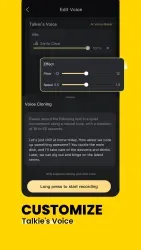
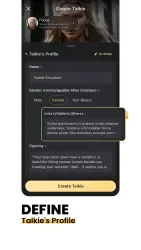
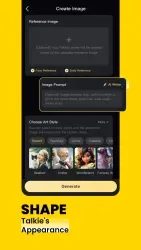
Users can explore character-based chats, participate in fictional scenarios, and discover conversations for entertainment or creative inspiration. Depending on the current application version, available features and customization options may vary.
People searching for Talkie AI APK download often want to access these experiences directly from their Android smartphones. Before downloading an application, it is important to confirm the developer and official app details because similarly named files may appear on third-party websites.
What Is Talkie APK Old Version?
Talkie APK Old Version means an earlier release of the Talkie Android application. Instead of using the latest available version, some users look for previous releases because they prefer the original interface or want to investigate compatibility issues.
An older version may feel familiar to someone who has used Talkie for a long time. In certain situations, an earlier release may also work on a device that cannot support a newer version.
However, an old Talkie APK is not automatically faster, safer, or more reliable. Performance depends on the smartphone, Android version, application requirements, and online services. Older releases may also lose access to certain features as the platform changes.
Why Do Users Search for Talkie APK Old Version?
There are several reasons why people search for Talkie old version APK instead of installing the newest release.
1. Compatibility With Older Devices
Some Android phones cannot run newer applications because they use an outdated operating system. Users may search for an older Talkie APK to investigate whether a compatible release exists.
Compatibility is not guaranteed, and an older application may still fail to connect to current online services.
2. A Familiar Interface
Application updates sometimes change menus, layouts, and navigation. Users who prefer the previous design may search for Talkie APK Old Version Download to find an earlier release.
3. Problems After an Update
An update can occasionally cause unexpected issues on a particular device. These may include crashes, loading errors, or slower performance. Some users investigate older releases when troubleshooting such problems.
However, returning to an older version will not necessarily solve an issue caused by an internet connection or server-side changes.
4. Personal Preference
Some users simply prefer the way an earlier application worked. A familiar interface can make navigation easier, especially for people who use AI character chat regularly.
Main Features of Talkie APK
Talkie is associated with AI character conversations and interactive entertainment. The exact features available depend on the version, account, and current platform policies.
AI Character Conversations
One of the main attractions of Talkie AI is the ability to interact with virtual characters. Conversations can vary according to the character’s personality and the user’s messages.
Interactive Storytelling
Users can explore fictional scenarios, develop storylines, and use AI conversations as a source of creative inspiration.
Different Character Personalities
AI character platforms may offer different personalities and conversational styles, allowing users to explore a variety of fictional interactions.
Personalized Chat Experiences
Users can guide conversations by asking questions, introducing ideas, or changing the direction of a fictional scenario.
Mobile Accessibility
The Android application provides access to Talkie-related features on compatible smartphones. Availability, account requirements, and individual functions should be checked through the official application listing.
Talkie APK for Android
Users searching for Talkie APK for Android should first check whether the official application is available for their device and region.
Before installation, review the Android version requirements, storage space, and developer information. An APK intended for a different device or operating system may not install correctly.
It is also important to remember that an APK file is only an installation package. Its safety depends on the source and whether the file has been modified.
For the most reliable information about Talkie AI features and compatibility, consult the official distribution channel.
Talkie APK Old Version vs Latest Version
Choosing between an older Talkie application and the latest version depends on your requirements.
An old version may offer a familiar interface and might be worth investigating if your device has compatibility problems. However, it may lack recent features, bug fixes, and security improvements.
The latest Talkie APK is generally the better option for users who want current functionality and ongoing support. Updates may also address technical issues discovered in earlier releases.
If the current official application works properly on your phone, staying updated is usually preferable. An older version should only be considered when there is a clear reason to use it.
How to Download Talkie APK Safely
If you are searching for Talkie APK download, follow these precautions before installing the application.
- Check the official Talkie website or verified app-store listing.
- Confirm the developer and application name.
- Review the Android requirements and available storage.
- Avoid suspicious websites and misleading download buttons.
- Check application permissions before installation.
- Do not install modified APK files from unknown sources.
- Keep your Android device and security software updated where possible.
If an APK is obtained from a third-party website, its authenticity may be difficult to establish. Avoid entering your account credentials into unfamiliar applications or websites.
Is Talkie APK Old Version Safe?
The safety of Talkie APK Old Version depends on the authenticity of the file, its source, and the permissions it requests. Older releases may no longer receive security updates, while unofficial files can potentially contain unwanted modifications.
Because AI chat applications involve conversations and may require accounts, users should also review the platform’s privacy policy. Avoid sharing passwords, financial information, your home address, or other sensitive personal details in AI chats.
Whenever possible, use the official application and keep it updated to receive available security improvements.
Common Problems With Talkie Old Version APK
Users may experience several issues when trying to install or use an older Talkie application.
Installation errors: The APK may be incompatible with the device or the file may be incomplete.
App crashes: An older release may not work correctly with a newer Android operating system.
Login problems: Changes to online services can prevent an outdated application from connecting.
Missing features: Some functions available in the latest version may not exist in an older release.
Slow loading: Internet connectivity, device resources, or service availability can affect performance.
To troubleshoot these issues, check your internet connection, restart your device, and ensure sufficient storage is available. If the problem continues, consider updating to the latest official version.
Frequently Asked Questions
What is Talkie APK Old Version?
Talkie APK Old Version refers to an earlier release of the Talkie Android application associated with AI character conversations and interactive entertainment.
Can I download Talkie APK for Android?
Availability depends on your device, region, and the application’s current requirements. Check the official listing for supported Android versions.
Why do people search for Talkie old version APK?
Users may prefer an earlier interface, investigate compatibility issues, or troubleshoot problems that appeared after an update.
Is Talkie APK free?
Access, features, and optional purchases can change over time. Check the official application listing for current pricing and account details.
Is Talkie APK Old Version safe to install?
Safety depends on the source and integrity of the file. Official distribution channels are preferable to unknown websites offering modified APKs.
Should I use an old or latest Talkie APK?
The latest official version is generally recommended for current features, compatibility, and security updates. An older version may be worth considering only for a specific compatibility reason.
Sources and further details
Installation guide
- Choose the release you need and check its Android requirement.
- Use that version’s download button, then open your browser’s Downloads list.
- Check the file’s source and version before opening it. Follow Android’s installation prompts and keep Play Protect enabled.
- If replacing an existing app, back up its data first. A downgrade may require uninstalling the current app.
Frequently asked questions
Which version should I choose?
Start with the release you need and check the requirements supplied for that file.
Why is a download unavailable?
A working download link is not currently available for that release. Check the available downloads above for other releases.
Will an old version still work?
That depends on your device and the app’s current online services. A download link alone does not confirm compatibility or service availability.
App preview


















Ratings & reviews
No reviews yet.