

Old versions for Android
Kucing APK
Check Kucing 2.5.4.2, package com.kcstream.cing and Android 5.0+ compatibility, with guidance on identifying the correct archived app.
Available downloads 1
2.5.4.2
Version details for 2.5.4.2
Version and Android requirement read from this APK.
No versions match this requirement. Choose “All Android requirements” to see every release.
Report a download problem
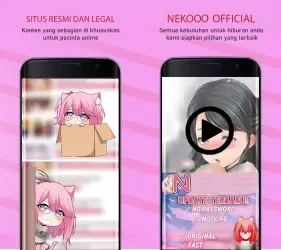
The Kucing APK available here reports version 2.5.4.2 and package com.kcstream.cing. Start with those identifiers if you are trying to recover a familiar app. The name Kucing is not enough to establish its category, developer or content catalogue, and an installer that opens successfully may still depend on an unavailable online service.
Archived download details
| Detail | Inspected file |
|---|---|
| Reported version | 2.5.4.2 |
| Package | com.kcstream.cing |
| Minimum Android | 5.0+ |
| Download size | 9.29 MiB |
| File format | APK |
These fields describe the file in Available downloads. Reading package metadata does not verify its publisher, malware safety or runtime behaviour. A complete release history and version-by-version feature test have not been established here.
What Is Kucing APK Old Version?
Kucing APK Old Version refers to an earlier Android installation package for an application named Kucing. An APK is an Android application package, the file format Android uses to distribute and install applications.
The word “kucing” means “cat” in Indonesian and Malay, but the name alone does not establish that a particular app is a cat game, entertainment application, or utility. Users should confirm the app’s developer, package name, and description before choosing a download.
If you are looking for a specific Kucing app, checking these details helps prevent confusion with similarly named applications. It also makes it easier to find the version that matches your requirements.
Why Do Users Search for Kucing APK Old Version?
There are several reasons Android users may search for an older APK release.
1. Compatibility With Older Android Devices
Some applications require newer Android versions after receiving updates. People using older smartphones may therefore search for an earlier release that supports their operating system.
However, an older Kucing APK will not necessarily work on every older device. Compatibility depends on the exact version, Android requirements, processor architecture, and other technical factors.
2. Preference for a Previous Version
App updates can change the interface, navigation, or available features. Some users prefer a previous layout because they are already familiar with it.
If you want an older version of Kucing, compare the release information carefully. Do not assume that two APK files with the same app name provide identical features.
3. Troubleshooting App Problems
An update may sometimes introduce bugs or performance issues on particular devices. Users may look for Kucing APK Old Version as a possible troubleshooting option.
Before installing an older release, try restarting your phone, checking for available storage, clearing the app cache, or reinstalling the official version. These steps may solve the problem without introducing the risks associated with an unverified APK.
4. Finding an Earlier Release
Some users search for old APK files because they cannot find an earlier release through their usual app store. A trustworthy version archive may provide historical release information, but the availability and authenticity of individual files must be checked.
Important Things to Check Before Downloading Kucing APK
Before searching for Kucing APK download options, confirm the following details.
App developer: Identify the developer associated with the application you want. This helps distinguish the correct app from similarly named downloads.
Package name: Android applications have package identifiers that can help distinguish one app from another. Verify that the package name matches the intended application.
Version number: Check the release number and date. A website displaying an old version should provide enough information to identify the file.
Android requirements: Review the minimum Android version and any additional compatibility information supplied by the developer.
File authenticity: Prefer the official developer or a reputable source with clear version information. A familiar-looking download page does not automatically make an APK safe.
These checks are especially important when searching for Kucing APK Old Version for Android through third-party websites.
Potential Benefits of Using an Older APK
An older release may be useful in certain situations, depending on the application.
Support for a Compatible Device
If a previous version officially supports your device while a newer release does not, the older version may be worth investigating. Always confirm the requirements before downloading.
A Familiar Interface
Some users prefer the interface of a previous release. Returning to a familiar layout may make navigation easier, although this depends on the specific app and version.
Troubleshooting Specific Issues
If a problem began immediately after an update, investigating the earlier release may help identify whether the update is related to the issue. However, reinstalling an older version is not guaranteed to solve the problem.
Access to Historical Release Information
Older APK listings may include version numbers, release dates, and compatibility details. This information can help users understand how an application has changed over time.
Keep in mind that older releases can lack security fixes and may no longer connect properly to online services.
How to Download Kucing APK Old Version Safely
Follow these steps if you are looking for a previous version of Kucing.
Step 1: Identify the correct app. Search for the exact application name and confirm its developer and package name.
Step 2: Check the version history. Look for the release number, publication date, and Android requirements. Avoid download pages that provide no meaningful version details.
Step 3: Choose a trustworthy source. Start with Google Play or the developer’s official website. If an older version is unavailable, exercise caution with third-party APK archives.
Step 4: Scan the downloaded file. Use a reputable mobile security application to check the APK. Remember that a security scan cannot guarantee complete safety.
Step 5: Review permissions. Be careful if the application requests access to sensitive information or device functions that do not appear necessary for its stated purpose.
Step 6: Install only if you trust the file. Android may ask you to authorize installation from an external source. Review the security warning rather than automatically approving it.
If you cannot verify the file’s authenticity, avoid installing it. Never disable important security protections simply to make an unknown APK work.
How to Install Kucing APK on Android
If you have a verified, compatible APK file, the general installation process is simple:
- Download the APK from a source you trust.
- Open your device’s Downloads folder or file manager.
- Select the APK file.
- Review any Android security prompt about installing applications from that source.
- Grant installation permission only if necessary and only when you trust the source.
- Follow the on-screen installation instructions.
- Open the app and check whether it works correctly.
- Disable temporary installation permissions when you finish.
The exact steps may differ depending on your Android version and device manufacturer.
If the installation fails, check whether the file is damaged, incompatible, or conflicting with an existing version. Avoid downloading random replacement files from unverified websites.
Common Kucing APK Problems and Solutions
Kucing APK is not installing: Confirm the Android requirements and make sure the APK is complete and compatible with your device.
The application crashes: Restart your phone and check available storage. If the issue continues, remove the app and use a trusted, supported version.
The app does not look familiar: You may have downloaded a different application with a similar name. Check the package name and developer.
The APK download fails: Check your internet connection and use a trustworthy source. Do not follow suspicious pop-ups or misleading download buttons.
Security warnings appear: Take the warning seriously. Do not proceed if you cannot establish that the file is legitimate.
Is Kucing APK Old Version Safe?
There is no single safety verdict for every APK called Kucing. The risks depend on the exact application and installation file.
Older versions may lack important security updates, while unofficially modified APKs may contain unwanted code. Some download websites may also provide misleading descriptions or files that do not match the advertised app.
For better protection, verify the developer, package name, version number, and permissions. Keep your Android security features enabled and uninstall any app that behaves suspiciously.
Frequently Asked Questions
What is Kucing APK Old Version?
It refers to an earlier Android installation package for an app named Kucing. The exact features depend on which application you mean.
Can I download Kucing APK for Android?
Availability depends on the specific app and its distribution source. Check the official store or developer website first.
Why do people download old APK versions?
Users may want an earlier interface, compatibility with a particular device, or help troubleshooting an issue that appeared after an update.
Is Kucing APK compatible with every Android phone?
No. Compatibility depends on the APK’s requirements, Android version, device hardware, and other technical factors.
Is it safe to install Kucing APK from a third-party website?
It can carry risks. Verify the file and its source, scan it with a reputable security tool, and avoid modified or suspicious downloads.
Version and installation reference
Installation guide
- Choose the release you need and check its Android requirement.
- Use that version’s download button, then open your browser’s Downloads list.
- Check the file’s source and version before opening it. Follow Android’s installation prompts and keep Play Protect enabled.
- If replacing an existing app, back up its data first. A downgrade may require uninstalling the current app.
Frequently asked questions
Which version should I choose?
Start with the release you need and check the requirements supplied for that file.
Why is a download unavailable?
A working download link is not currently available for that release. Check the available downloads above for other releases.
Will an old version still work?
That depends on your device and the app’s current online services. A download link alone does not confirm compatibility or service availability.
App preview









Ratings & reviews
No reviews yet.