

Old versions for Android
Messages by Google
Review Google Messages older-release compatibility, identify its correct package and distinguish SMS settings from account and RCS service issues.
Available downloads 0
No download is currently available for this app. You can report a missing download below.
Report a download problem
Google Messages uses package com.google.android.apps.messaging. When troubleshooting an older release, separate ordinary SMS or MMS problems from RCS connection issues. RCS availability can depend on the device, region, network and current service, so changing the APK alone does not establish that every messaging feature will return.
What Is Messages by Google APK?
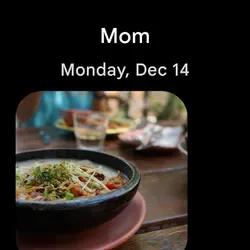
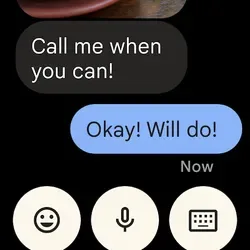
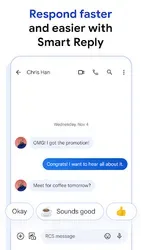
Messages by Google is Google’s messaging application for Android devices. It supports traditional SMS and MMS messaging, while compatible devices and supported networks may also offer RCS messaging features. RCS can provide capabilities such as typing indicators, read receipts, higher-quality media sharing, and improved group conversations, depending on availability and settings.
The term Messages by Google APK refers to the Android application installation package. People searching for Messages by Google APK Old Version are usually looking for information about an earlier release of the app.
An older version may have a different interface or behave differently from the latest release. However, installing an old APK does not guarantee access to every feature. RCS functionality and other connected services may depend on current software, network conditions, and service availability.
Main Features of Messages by Google
1. SMS and MMS Messaging
One of the core functions of Messages by Google is traditional text messaging. SMS allows users to send text messages, while MMS supports certain types of multimedia content, such as pictures and group messages.
These features make the app useful for everyday communication. Availability and charges for SMS or MMS can depend on the user’s mobile carrier and plan.
2. RCS Chat Features
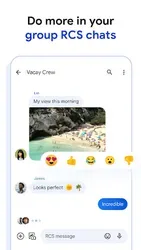
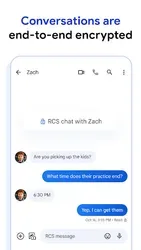
On supported devices and networks, Messages by Google can offer RCS chat features. These may include typing indicators, read receipts, improved media sharing, and enhanced group chats.
RCS availability is not identical for every user. It may depend on the device, carrier, region, settings, and the other person’s messaging setup. An older Messages by Google APK may not support the same experience as a current version.
3. Group Conversations
Group messaging helps people communicate with several contacts in one conversation. It can be useful for family discussions, school or work coordination, and planning everyday activities.
The exact group-chat experience depends on whether messages are sent through SMS, MMS, or RCS. Some advanced options may not be available when all participants or networks do not support them.
4. Photo and Video Sharing
Messages by Google supports sharing multimedia content through compatible messaging methods. RCS may allow higher-quality media sharing than traditional MMS, depending on the service and settings.
Users should remember that media quality, file-size limits, and delivery behavior can vary. A particular older app release may also have different options from the current version.
5. Spam Protection
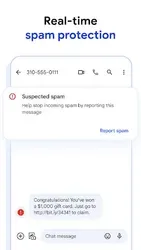
Google Messages includes spam-detection features in supported situations. These tools can help identify suspicious or unwanted messages, although no detection system is perfect.
Users should remain careful when receiving unexpected links, requests for personal information, or messages claiming to represent a bank or other trusted organization. Never share passwords or verification codes with someone simply because a message looks legitimate.
6. Search and Conversation Organization
Searching for previous messages can make it easier to find information from earlier conversations. Depending on the version and device, the app may offer different tools for organizing or managing chats.
People interested in the Messages by Google old version APK may want to compare how these options appeared in earlier releases. Feature availability can change over time, so it is useful to check the details for the specific version being researched.
Why Do Users Search for Messages by Google Old Version?
There are several reasons Android users look for older app releases. Some prefer a familiar layout, while others want to learn how messaging features have changed. Users with older devices may also research whether a previous version supports their Android operating system.
Another reason is troubleshooting. If an application behaves unexpectedly, users may investigate version history to understand whether a change could be related to an update. However, installing an outdated version is not always a reliable solution and may introduce compatibility or security problems.
An older Messages by Google APK may also lack important bug fixes and improvements. Before considering an earlier release, check whether the issue can be resolved through official troubleshooting guidance or the app’s current settings.
Messages by Google APK Old Version Compatibility
Compatibility depends on the Android version, the app release, and the device’s software configuration. Some messaging features also rely on carrier support or connected services.
Before installing Messages by Google APK Old Version, consider these points:
- Android version: Check the operating-system requirements for the specific release.
- Device support: Confirm that your phone supports the app version you intend to use.
- RCS availability: Advanced chat features may require supported services and compatible settings.
- Security updates: Older releases may lack important improvements.
- App behavior: An older version may have bugs or stop working as expected with current services.
An APK that installs successfully is not necessarily fully compatible with your phone or the current messaging network.
Is It Safe to Download Messages by Google APK Old Version?
Downloading an Android APK from an unfamiliar website can be risky. A file may be modified, incorrectly labelled, or distributed without reliable verification. Since messaging applications handle personal conversations and potentially sensitive information, choosing a trustworthy source is especially important.
Follow these precautions before installing an older version:
- Prefer Google Play or another official source whenever possible.
- Check the app’s publisher and file details.
- Avoid APK files that request unusual or unnecessary permissions.
- Scan downloaded files with a reputable mobile security tool.
- Keep your Android operating system updated.
- Avoid using outdated software for sensitive communication when a supported version is available.
Do not assume that every file labelled “Messages by Google APK” is genuine. Verify the source carefully, and remember that an old release may no longer receive security fixes.
Advantages and Limitations of an Older Version
An older version of Messages by Google may interest people researching previous interface designs, historical features, or device compatibility. Comparing versions can also help users understand how Android messaging has evolved.
However, the limitations deserve attention. An older release may miss newer features, contain unresolved bugs, or behave differently with current Android software. Some RCS features may depend on updated services and therefore may not work as expected in an earlier release.
For most users, keeping the app updated through an official source is the more practical choice. Updates can provide compatibility improvements, bug fixes, and security enhancements.
Frequently Asked Questions
What is Messages by Google APK Old Version?
It refers to an earlier Android release of Google’s messaging application. Users may research older versions to compare features, interfaces, and compatibility.
Does Google Messages support RCS?
Yes, Google Messages supports RCS on compatible devices when the necessary services and settings are available. Feature availability can vary by carrier, region, device, and recipient.
Can I install an older Google Messages APK?
Compatibility depends on your Android version and the particular APK. Use official sources whenever possible and consider the risks of running outdated software.
Does an older version support all current features?
Not necessarily. Features can change between releases, and some functions depend on current Google services, device settings, and network support.
Is Messages by Google free?
The application is generally available without a separate app purchase, but SMS, MMS, and mobile-data charges may depend on your carrier and plan.
Sources and further details
Installation guide
- Choose the release you need and check its Android requirement.
- Use that version’s download button, then open your browser’s Downloads list.
- Check the file’s source and version before opening it. Follow Android’s installation prompts and keep Play Protect enabled.
- If replacing an existing app, back up its data first. A downgrade may require uninstalling the current app.
Frequently asked questions
Which version should I choose?
Start with the release you need and check the requirements supplied for that file.
Why is a download unavailable?
A working download link is not currently available for that release. Check the available downloads above for other releases.
Will an old version still work?
That depends on your device and the app’s current online services. A download link alone does not confirm compatibility or service availability.
App preview









Ratings & reviews
No reviews yet.