

Old versions for Android
Pi Browser
Check Pi Browser 1.17.1 APK details and Android 7.0+ compatibility, with guidance on app identity, website addresses and protecting wallet access.
Available downloads 1
1.17.1
Version details for 1.17.1
Version and Android requirement read from this APK.
No versions match this requirement. Choose “All Android requirements” to see every release.
Report a download problem
Pi Browser 1.17.1 is the archived file listed here, with package pi.browser and an Android 7.0+ requirement. If your goal is to access a Pi service, first check whether the problem concerns the browser, the website or your account. A different APK cannot establish the legitimacy of a website asking for wallet information.
Archived download details
| Detail | Inspected file |
|---|---|
| Reported version | 1.17.1 |
| Package | pi.browser |
| Minimum Android | 7.0+ |
| Download size | 61.78 MiB |
| File format | APK |
These fields describe the file in Available downloads. Reading package metadata does not verify its publisher, malware safety or runtime behaviour. A complete release history and version-by-version feature test have not been established here.
What Is Pi Browser APK?
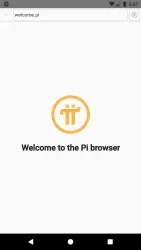
Pi Browser is a mobile web browser developed for the Pi Network ecosystem. It allows users to explore websites and interact with applications, including decentralized applications commonly known as dApps.
Unlike a browser used only for visiting ordinary websites, Pi Browser also provides access to services built for the Pi ecosystem. Depending on the application, users may be able to explore community spaces, access supported services, and interact with blockchain-related features.
The Pi Browser APK is the Android installation package associated with the application. Users searching for Pi Browser APK Old Version are often interested in previous releases, older interface designs, or changes introduced through updates.
For the most reliable experience, download the application through the official Google Play listing or another official Pi Network distribution channel.
Why Do Users Search for Pi Browser APK Old Version?
There are several reasons people look for an older version of Pi Browser for Android.
Familiar Interface
Some users become comfortable with an application’s existing layout and prefer learning about earlier designs before moving to a newer version. Previous Pi Browser releases may have had different menus, navigation elements, or dashboard layouts.
Understanding Previous Updates
Users researching Pi Browser Old Version may want to understand how the application has changed over time. Looking at official release information can help explain interface improvements and changes to the Pi ecosystem.
Device Compatibility
Android devices use different operating system versions and have different hardware capabilities. People sometimes investigate older APK versions when researching compatibility issues, although an older version is not guaranteed to work better on a particular phone.
Learning About Pi Network
New users may search for Pi Browser APK Download because they want to explore Pi Network applications and learn how the ecosystem works. Understanding the browser’s purpose is a useful first step before using any connected service.
Main Features of Pi Browser
Pi Browser combines conventional browsing with access to supported services in the Pi Network ecosystem. Available functionality can change as the application and ecosystem develop.
1. Access to Pi Apps
One of the main purposes of Pi Browser is to provide access to applications built for the Pi ecosystem. These may include community services, games, and other decentralized applications.
The experience depends on the particular app and whether it is available and supported.
2. Web Browsing
Pi Browser also supports browsing ordinary websites. This means users can explore web content while using a browser designed to connect with Pi ecosystem services.
As with any browser, it is important to check website addresses before entering personal information.
3. Pi Wallet Access
The Pi ecosystem includes wallet functionality for supported transactions. Users should access wallet services only through verified official channels and carefully check the destination before interacting with them.
Never share your wallet passphrase with another person or enter it on an unfamiliar website.
4. Community Features
The Pi ecosystem includes community-oriented services where users can discover projects, communicate, and explore applications developed by others.
The availability of individual services may vary, so it is best to consult official Pi Network resources for current information.
5. Application Discovery
Pi Browser helps users find and access services within the Pi ecosystem. Its interface and available sections may change with updates, which is one reason people research Pi Browser old versions and new releases.
Pi Browser APK Old Version vs Latest Version
The main difference between an older Pi Browser release and the latest available version is the set of changes introduced through updates.
| Older version | Latest official version |
|---|---|
| May have an earlier interface | May include newer interface improvements |
| Could lack later fixes | Can include more recent fixes |
| May have compatibility issues | Generally the better choice for ongoing support |
| Some services may behave differently | Designed for the current supported experience |
The exact differences depend on the release being compared. Without verified release notes, it would be misleading to claim that a specific older version is faster, safer, or better than the current one.
For everyday use, the latest official version is generally the more practical choice because it is more likely to include current improvements and security fixes.
How to Download Pi Browser for Android
If you want to install Pi Browser on your Android device, follow these steps:
- Open the Google Play Store.
- Search for Pi Browser.
- Check the developer information and make sure you have selected the official application.
- Review the app details and permissions.
- Tap Install and wait for the installation to finish.
- Open the application and follow its on-screen instructions.
You can also visit the official Pi Browser page on Google Play.
If you are specifically researching Pi Browser APK Old Version, check official documentation and release information first. Avoid installing files from unknown sources simply because they are labeled as older or original versions.
Is Pi Browser APK Safe?
Pi Browser is associated with the Pi Network ecosystem, but your safety also depends on which application you install and which websites you visit.
A file downloaded from an unknown website may have been modified or mislabeled. Its name and icon alone cannot establish that it is genuine.
Follow these precautions when using Pi Browser:
- Prefer the official Google Play listing or verified Pi Network channels.
- Keep the application and Android operating system updated.
- Check website addresses carefully before signing in.
- Never share your Pi Wallet passphrase with anyone.
- Avoid websites promising guaranteed rewards or asking for sensitive information without a clear reason.
- Be cautious when connecting to unfamiliar decentralized applications.
Pi Network maintains an official safety page that explains how to identify its legitimate channels and products. Checking those details can help you avoid imitation websites and misleading downloads.
Advantages and Limitations of Pi Browser
Pi Browser can be useful for people who want to explore Pi Network services, but it is important to understand both its benefits and limitations.
Advantages
- Access to supported Pi ecosystem applications.
- Ordinary website browsing.
- A central place to explore Pi-related services.
- Access to supported wallet-related functionality.
- Opportunities to discover community projects.
Limitations
- Some features depend on the availability of individual applications.
- Interface changes may require users to adjust to updates.
- Older versions may lack important fixes.
- Unofficial downloads can introduce security risks.
- Not every website or decentralized application is trustworthy.
Your experience will depend on the version installed, your device, and the particular services you choose to use.
Frequently Asked Questions
What is Pi Browser APK Old Version?
Pi Browser APK Old Version refers to an earlier Android release of Pi Browser. Users may research older versions to understand previous interface designs, features, and compatibility differences.
Is Pi Browser available for Android?
Yes. Pi Browser is available for Android through its official Google Play listing. Always verify the developer before installing an application.
What is Pi Browser used for?
Pi Browser is used to browse websites and access supported applications and services within the Pi Network ecosystem.
Is the old version of Pi Browser better?
Not necessarily. Older versions may have a familiar interface, but they can lack later improvements or security fixes. The latest official version is generally preferable for regular use.
Can Pi Browser access ordinary websites?
Yes. In addition to supporting Pi ecosystem applications, Pi Browser provides a browsing experience for ordinary websites.
Should I download Pi Browser APK from an unknown website?
It is safer to use official distribution channels. Unknown APK files may be modified, outdated, or unsafe, and their authenticity can be difficult to verify.
Final Words
Pi Browser APK Old Version is a useful topic for Android users who want to understand previous releases and explore the Pi Network ecosystem. The application combines regular web browsing with access to supported decentralized applications and Pi-related services.
Before choosing an older release, consider whether you really need it. For most users, the latest official version is the more sensible option because it is intended to provide the current supported experience.
At olderapks.com, our aim is to help readers understand Android applications, version differences, and installation considerations so they can make informed decisions. Always verify the source of an application and protect sensitive account information when exploring online services.
Sources and further details
Installation guide
- Choose the release you need and check its Android requirement.
- Use that version’s download button, then open your browser’s Downloads list.
- Check the file’s source and version before opening it. Follow Android’s installation prompts and keep Play Protect enabled.
- If replacing an existing app, back up its data first. A downgrade may require uninstalling the current app.
Frequently asked questions
Which version should I choose?
Start with the release you need and check the requirements supplied for that file.
Why is a download unavailable?
A working download link is not currently available for that release. Check the available downloads above for other releases.
Will an old version still work?
That depends on your device and the app’s current online services. A download link alone does not confirm compatibility or service availability.
App preview








Ratings & reviews
No reviews yet.